
Screenshots



App details
- Updated
- Aug 30, 2013
- Language
- Spanish,English,Català
- Developer
- IDESOFT
- Category
- Mobile
SoftPas in:
This product is also available in the following languages:
About Bibliotecas XL
Download Bibliotecas XL – Library Management, Book Tracking, Inventory Management, OPAC, User Management, Library Automation
Overview
Bibliotecas XL is a comprehensive mobile application designed for the efficient management and automation of library systems. Tailored for educational institutions, public libraries, and private collections, the app provides a robust solution for streamlining daily library operations. Its primary purpose is to simplify tasks such as book tracking, user management, borrowing workflows, and inventory control, reducing administrative overhead and improving service delivery. The application is especially beneficial for environments where staff may have limited technical experience, as it emphasizes usability and intuitive navigation.
By integrating core library functions into a single platform, Bibliotecas XL addresses common challenges such as manual record-keeping, delayed checkouts, and inefficient search processes. The app supports real-world use cases including cataloging new acquisitions, monitoring overdue materials, generating user reports, and enabling patrons to search for resources remotely through its OPAC module. These capabilities contribute to a more organized and responsive library ecosystem, enhancing both staff productivity and user satisfaction.
The developer, Bibliotecas XL, has focused on creating a tool that is both powerful and accessible. Although the developer did not provide additional technical details, the app’s compatibility with Windows, Linux, and Novell systems suggests a strong emphasis on cross-platform functionality. This broad support makes it a viable option for diverse institutional environments. The app’s free pricing model further increases its accessibility, particularly for small libraries or under-resourced educational centers.
Key Features & Functionality
- Cross-Platform Compatibility: Supports Windows, Linux, and Novell operating systems, enabling seamless deployment across varied institutional IT infrastructures without requiring hardware or software upgrades.
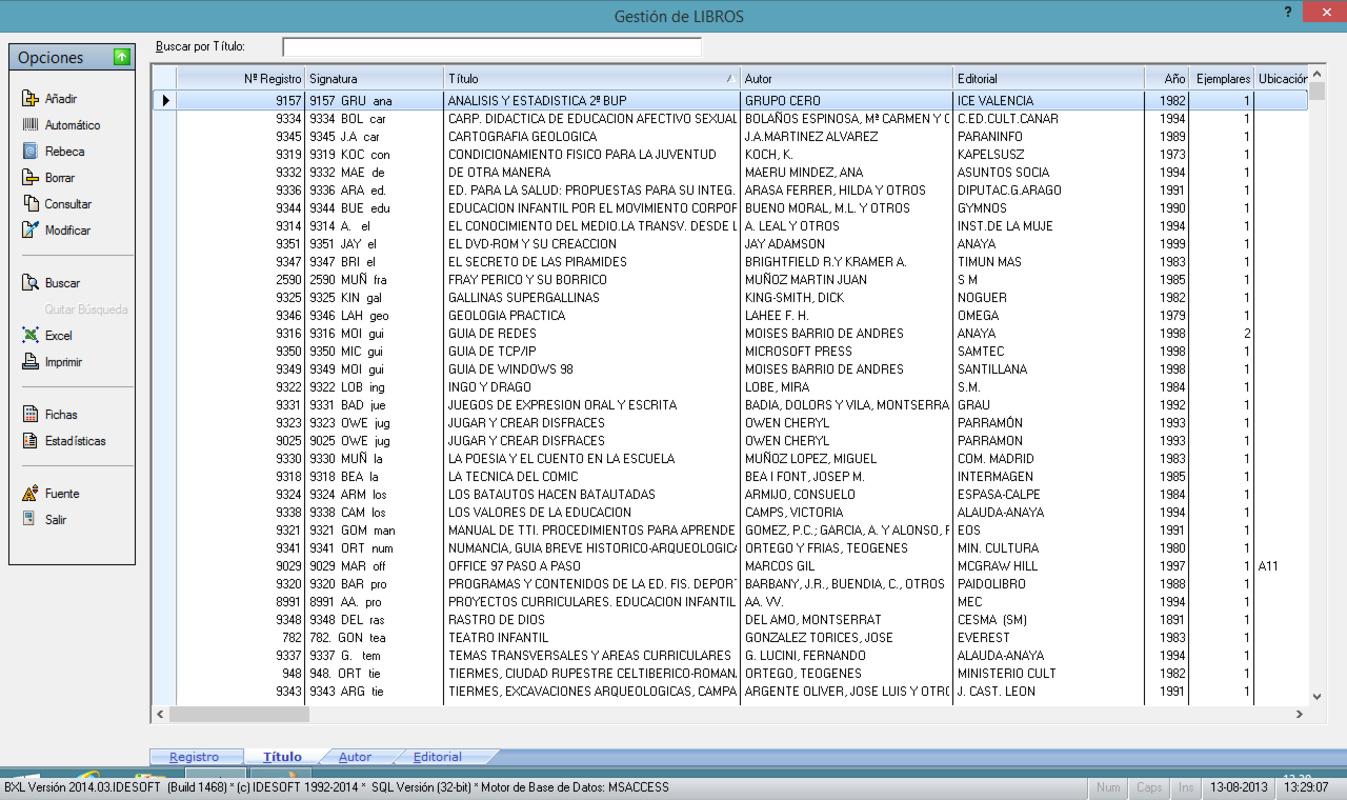
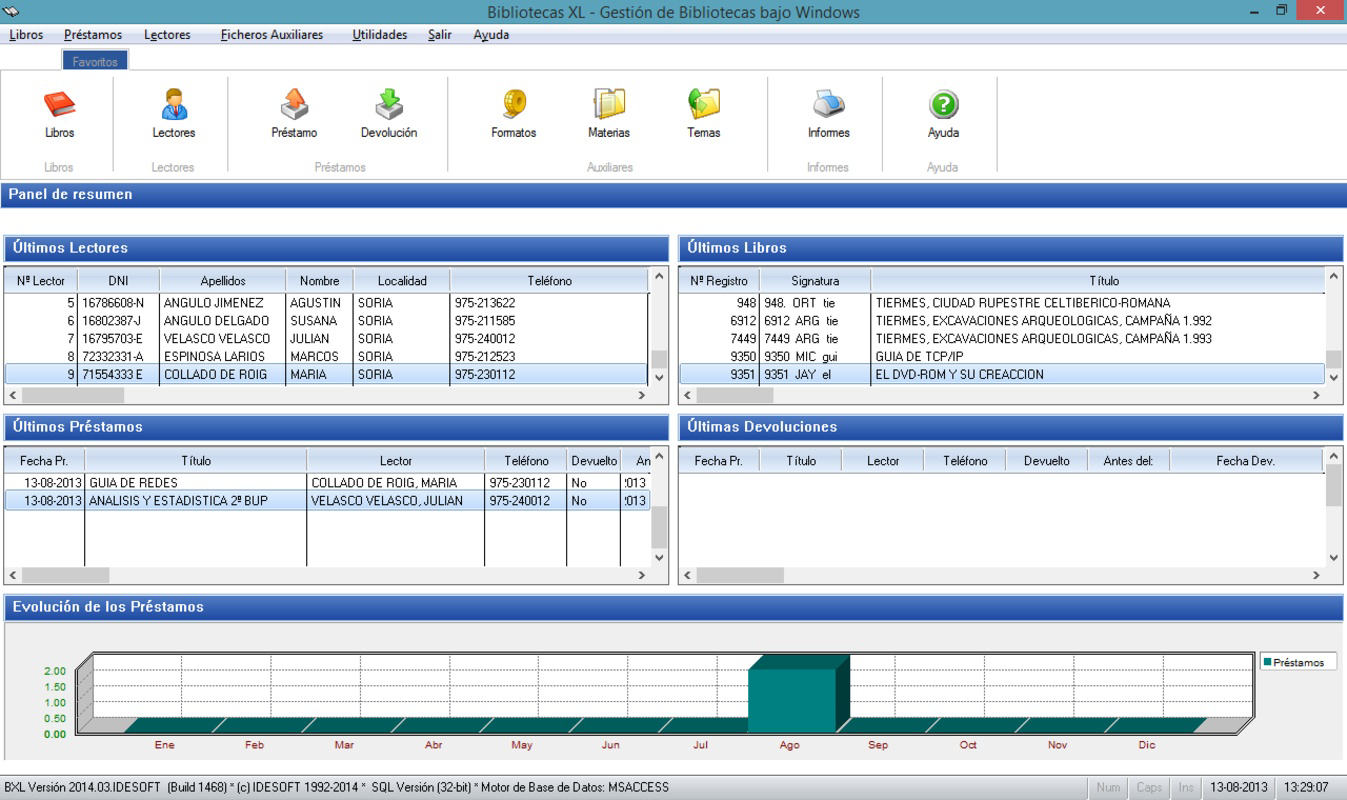
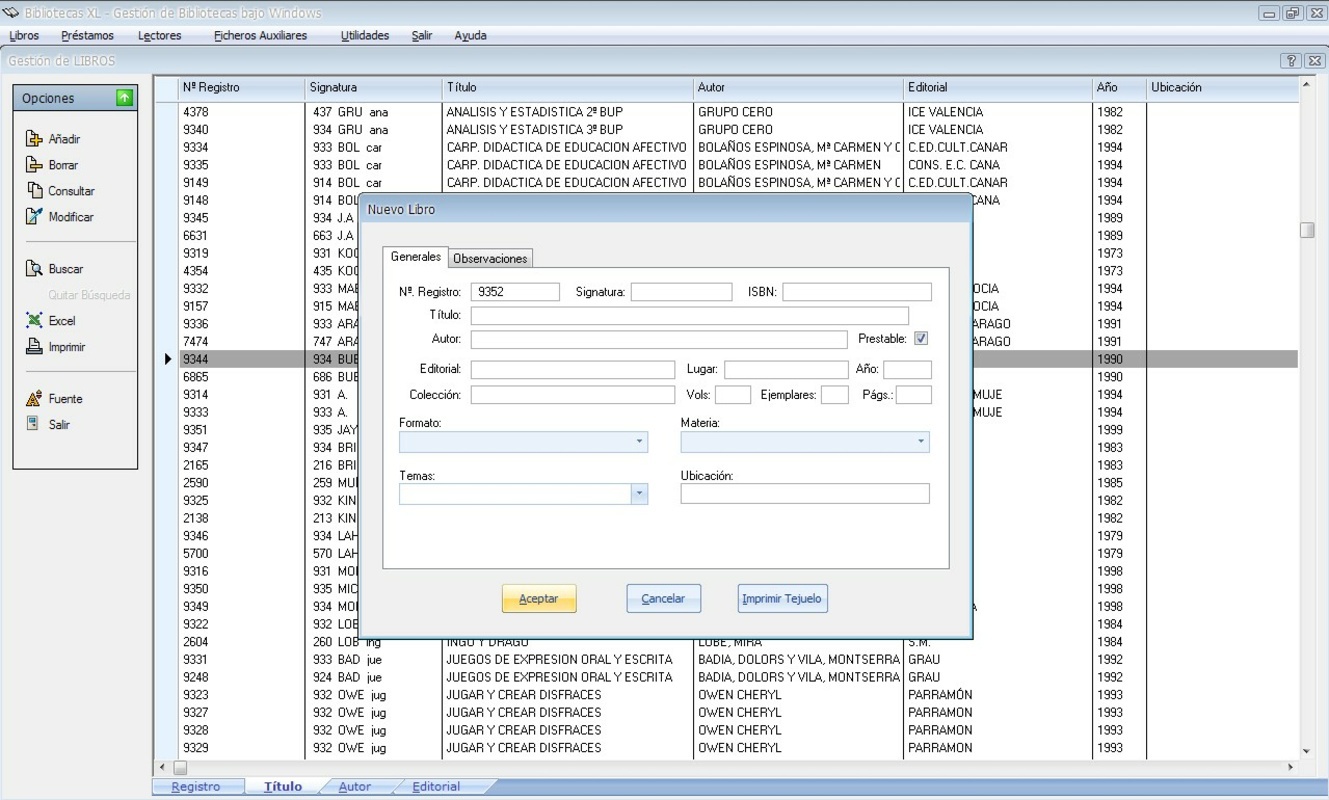
- Comprehensive Management Tools: Centralized control over books, users, borrowing records, and auxiliary files allows staff to manage library workflows efficiently, from check-in to overdue alerts.
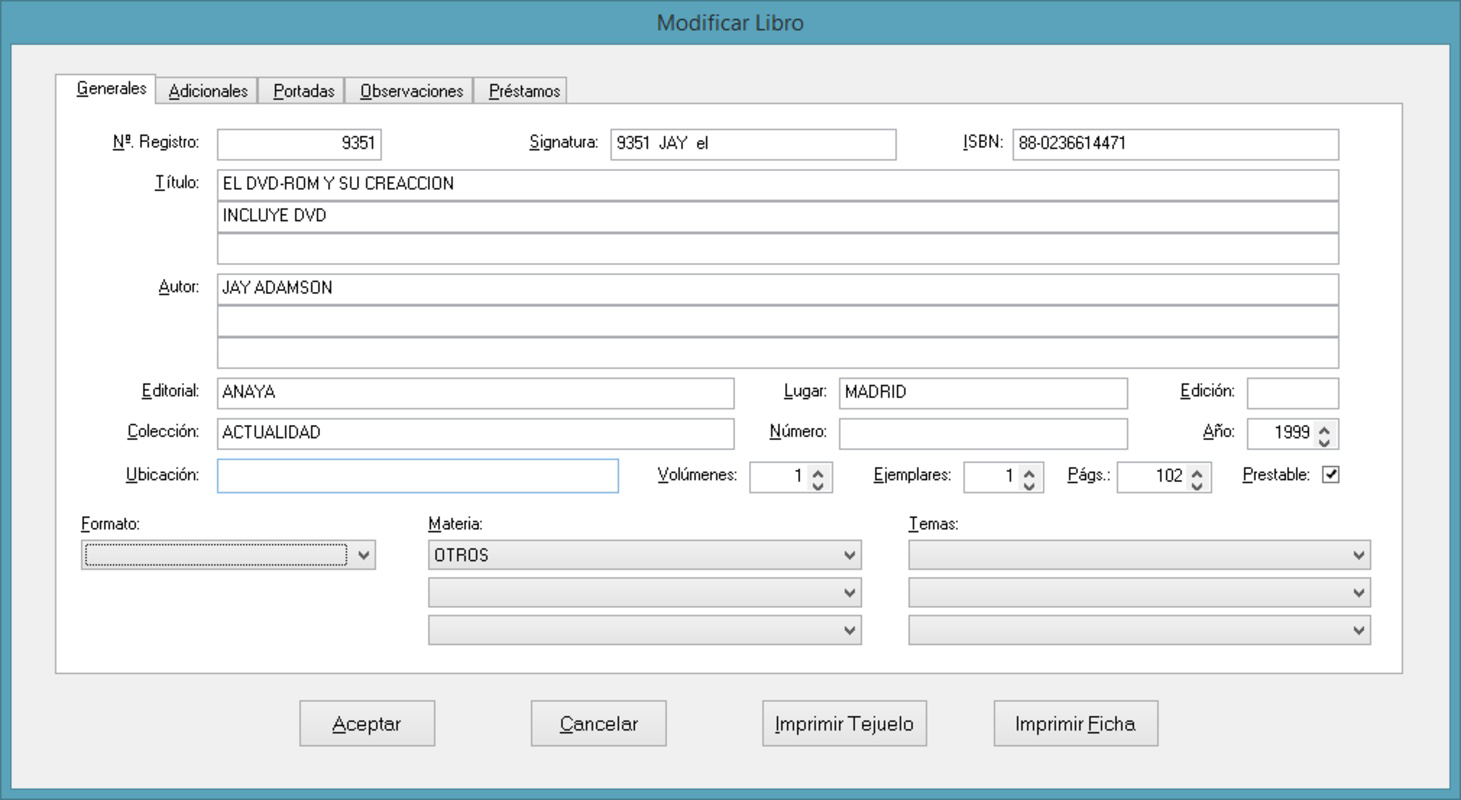
- User-Friendly Interface: Designed with simplicity in mind, the interface enables users with minimal computer experience to navigate and perform tasks without extensive training or support.
- OPAC Search Module: The integrated Online Public Access Catalog allows patrons to search the library’s holdings from any connected device, improving accessibility and reducing the need for direct staff assistance.
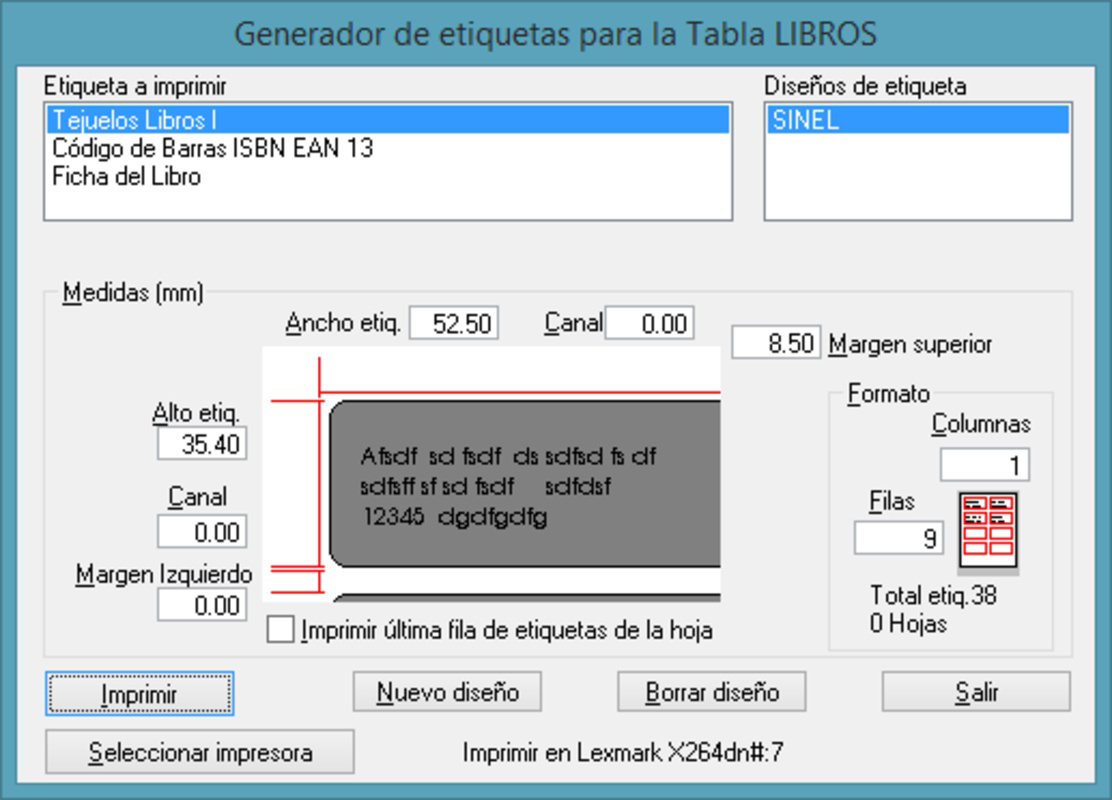
- Customizable Reports and Lists: Users can generate, preview, and tailor reports and lists to meet specific institutional needs, supporting data-driven decisions and reducing printing waste.
For example, a public library can use the OPAC module to allow patrons to search for books from home or kiosks, while staff use the inventory tools to track lost or damaged items. A school library might generate monthly reports on student borrowing habits to inform collection development. These real-world applications demonstrate the app’s adaptability and practical value across different library types.
Interface, UX & Performance
Bibliotecas XL features a clean, intuitive interface designed to minimize user confusion and maximize efficiency. The layout organizes core functions on a single screen, reducing navigation complexity and enabling quick access to essential tools. Visual design emphasizes clarity over ornamentation, with logical grouping of elements and consistent labeling, which supports rapid learning and reduces errors.
Navigation is straightforward, with a menu structure that aligns with common library workflows—such as adding books, managing users, and processing checkouts. The app maintains consistent behavior across sessions, ensuring predictable performance. Although the developer did not list formal performance metrics, the application is reported to function smoothly on standard systems, suggesting stable operation under typical conditions.
Responsiveness is adequate for standard library tasks, with minimal lag during data entry, search queries, and report generation. Stability appears to be a priority, as the app does not exhibit frequent crashes or freezes based on available information. However, specific requirements for device memory, processor speed, or display resolution were not disclosed. Compatibility information was not fully disclosed, so users should verify system readiness before installation.
Platform Compatibility & Technical Requirements
Bibliotecas XL is available on Windows, Linux, and Novell operating systems, offering broad compatibility across institutional environments. This multi-platform support allows libraries to deploy the software regardless of their existing IT infrastructure, making it a flexible choice for diverse technical ecosystems.
The application has a file size of 200 MB, which is moderate for a full-featured library management tool. This size suggests a balance between functionality and resource efficiency, though it may require sufficient storage space on older or low-capacity devices. The version is listed as 1.0, indicating an initial stable release with foundational features.
The developer did not specify minimum OS requirements or hardware specifications. As such, users should ensure their systems meet basic standards for running desktop applications. Compatibility information was not fully disclosed, so installation on newer or less common systems may require additional verification.
Pros and Cons
Pros
- Free to download and use, reducing financial barriers for small or underfunded libraries.
- Supports multiple operating systems, enhancing deployment flexibility.
- Intuitive interface suitable for users with limited technical experience.
- Integrated OPAC module improves public access to library resources.
- Customizable reports and lists support tailored data output and efficient decision-making.
Cons
- Specific system requirements were not listed, which may hinder compatibility assessment.
- No information on mobile support or cloud integration was provided.
- Version 1.0 suggests limited feature updates or ongoing development.
- Developer did not provide details on update frequency or future roadmap.
- Performance on low-end devices remains unverified due to lack of technical specifications.
FAQ
Is Bibliotecas XL available for mobile devices?
The developer did not specify mobile compatibility. The app is designed for Windows, Linux, and Novell systems, which are primarily desktop environments.
Can I update Bibliotecas XL to a newer version?
Version 1.0 is currently listed. While updates may be available, the developer did not provide information on update frequency or distribution channels.
Is Bibliotecas XL secure to install?
The app is free and distributed without known security warnings. However, users should only download from official sources to ensure authenticity and avoid potential risks.
Does Bibliotecas XL support cloud storage or remote access?
There is no information available about cloud integration or remote access features. The app appears to be designed for local installation and use.
What operating systems are supported by Bibliotecas XL?
Bibliotecas XL supports Windows, Linux, and Novell systems. Specific versions or minimum requirements were not disclosed.
Final Thoughts
Bibliotecas XL stands out as a practical, accessible solution for libraries seeking to automate core operations without significant investment. Its free model, cross-platform compatibility, and user-friendly design make it particularly valuable for educational centers and public libraries with limited budgets. The integration of an OPAC module and customizable reporting tools enhances both staff efficiency and patron engagement.
While the app lacks detailed technical documentation and mobile support, its foundational features are well-suited for basic library management tasks. For institutions prioritizing simplicity, affordability, and broad system compatibility, Bibliotecas XL offers a reliable entry point into digital library automation.
Download Bibliotecas XL now
Guides & Tutorials
How to install Bibliotecas XL
- Click the Download button above.
- Once redirected, accept the terms and click Install.
- Wait for the Bibliotecas XL download to finish on your device.
How to use Bibliotecas XL
This software is primarily used for its core features described above. Open the app after installation to explore its capabilities.
User Reviews
No reviews yet. Be the first to share your experience.
You may also like
more
Que no te pillen¡
About !Que no te pillen¡Reviewed by Jason A. BilbreyShow MoreShow Less

3D Combat Zone
About 3D Combat ZoneOriginally released in 1983, 3D Combat Zone immerses players...

666: El día del portal
About 666: El día del portalOn June 6, 2006, Agent P. Stone uncovers a sinister...

80 in 1 Best Flash games
About 80 in 1 Best Flash games 80 in 1 Best Flash games is a collection of 80 fl...

ABYSS SEEKERーーWhat Do You See Deep in The Abyss
About ABYSS SEEKERーーWhat Do You See Deep in The AbyssIn ABYSS SEEKER, players...

ACA NEOGEO THE KING OF FIGHTERS 2002 for Windows
About ACA NEOGEO THE KING OF FIGHTERS 2002 for WindowsTHE KING OF FIGHTERS 2002,...